



Creating PDF Forms for Government


Free eBook

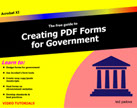
This 235 page book is devoted to creating PDF forms for government. A PDF version can be downloaded

 Download PDF (101MB)

A version for iPad can be downloaded from the Apple Store.

The book contains video files and a description for creating forms used by government offices. The Contents include:

1.    Understanding eGovernment

2.    Measuring the Quality of Content Hosted by
        eGovernment

3.    Understanding Forms in Government

4.    Adobe PDF & Sustainability

5.    The Anatomy of an eForm

6.    Modifying Form Designs

7.    Understanding Acrobat Viewers

8.    Exploring the Acrobat Interface

9.    Understanding Form Elements

10. Working with Text Fields

11. Working with Check Box Fields

12. Working with Buttons

13. Working with List Boxes & Dropdown Menus

14. Securing Forms & Copyright Protection

15. Signing & Notarizing Forms

16. Working with Calculations

17. Working with JavaScript

18. Dynamically Adding Pages to Forms

19. Adding Button Faces with JavaScript

20. Working with In-Office Forms

21. Making Forms Accessible

22. Hosting Forms on eGovernment Websites

23. Using PDF Forms on Mobile Devices

24. Exploring Some Sample Forms


Acrobat XI

Acrobat XI is available now. If you're not an Acrobat user, be certain to download Adobe Reader XI. Reader XI has many new improved features. By default you can save form data on ANY form that was created in Acrobat XI and earlier versions of Acrobat without the form enabled with Reader usage rights. You also have access to all comment tools in any PDF file you open in Adobe Reader.


  Download Adobe Reader


Working with Acrobat Users

Acrobat Users is a global resource for users of Acrobat and PDF, with free seminars, tips, tutorials, videos and discussion forums.

Check out some of the latest information, help, tutorials and videos at:

Acrobat Users logo and link to the Acrobat Users website

Getting started with Acrobat XI

Adobe TV has amassed a series of videos to help users get started with new features, working with PDF forms, Acrobat Essentials, and much more. Check out the videos posted by Adobe engineers at:


New Book on PDF Stamps

Thom Parker, arguably one of the world's best noted authorities on Acrobat JavaScript, has written a book on creating Stamps in Acrobat. The book was originally written for Acrobat X but contains solid information for Acrobat versions 7 through XI. Thom walks you through simple easy to design stamps through very sophisticated stamps with JavaScripts and complex designs. You'll be amazed at what you can do with Comment Stamps in Acrobat.

For more information about the book and where to purchase, visit Thom's website: pdfscripting.com

iOS friendly